Integrating your CRM with Vendelux supercharges your experience. You’ll be able to:
Make targeted ICP Lists based on CRM data
View which event attendees work at companies that are in your deals pipeline
Estimate the value you’ve gained from leveraging Vendelux Meetings
Push attendees or leads from Vendelux to your CRM
Making Targeted ICP Lists Based on CRM Data
Once you’ve fully integrated your CRM with Vendelux, you’ll be able to make target ICP Lists based on your CRM data.
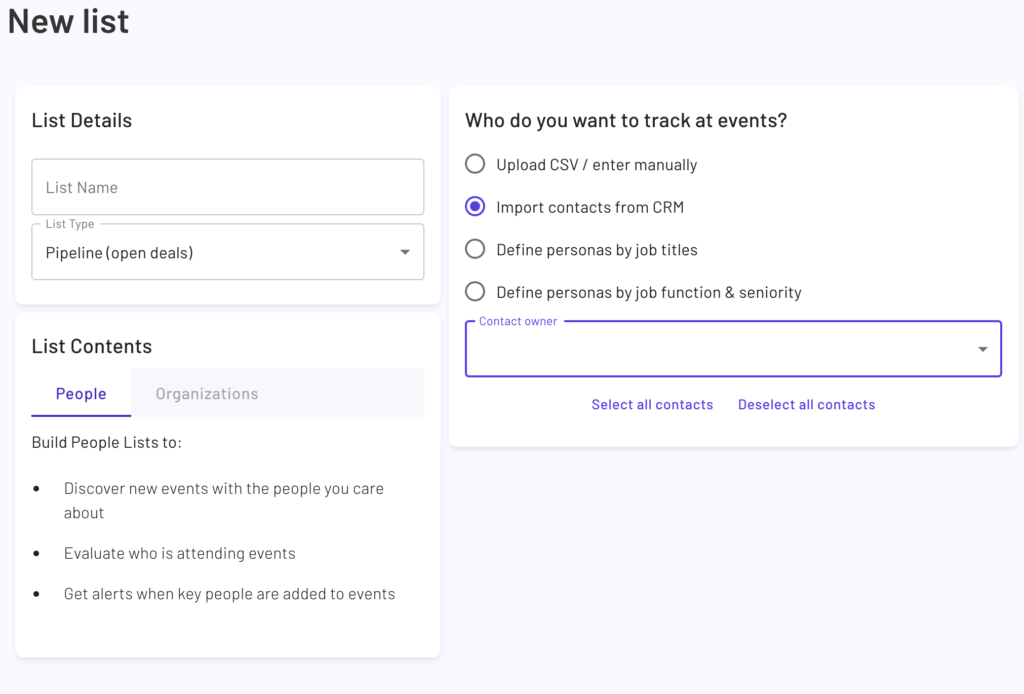
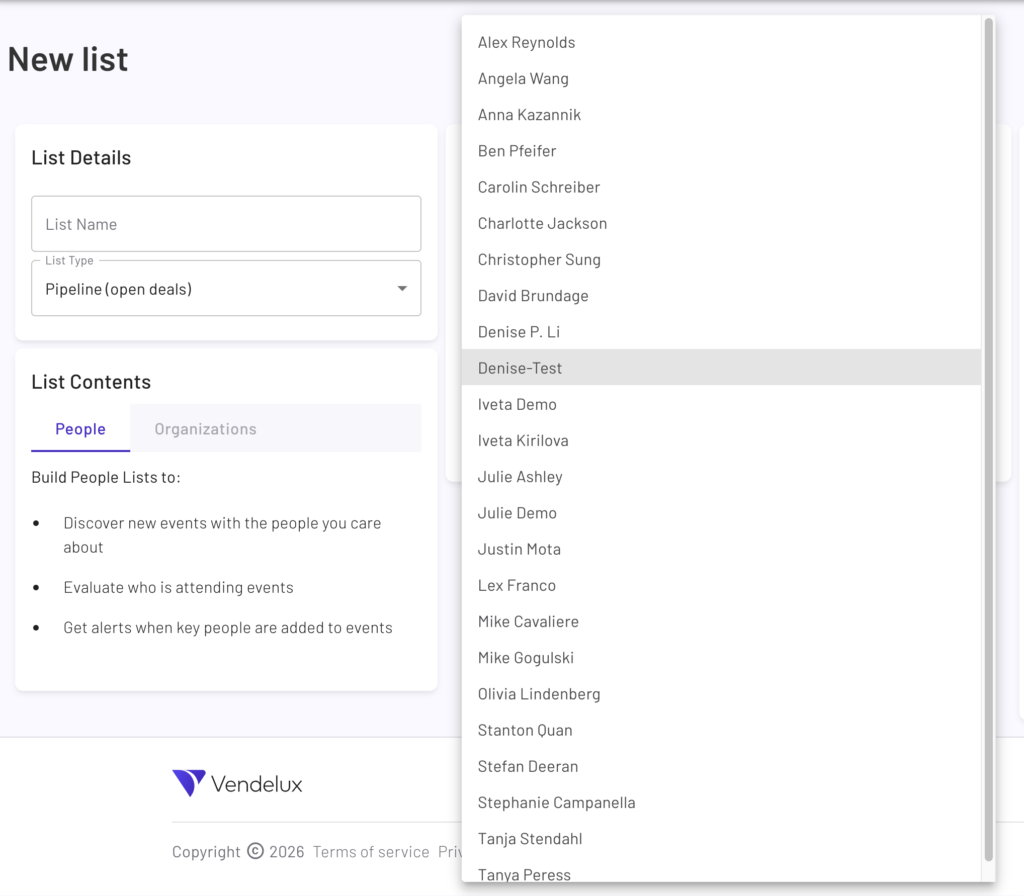
When creating a new People list, you can create a ‘smart’ list based on Contact owners. The Contact owner filters that you can select from are derived from your CRM.
Creating a new Pipeline (open deals) list type with People list contents
Creating a new Pipeline (open deals) list type with People list contents with ‘Import contacts from CRM selected’ and the ‘Contact Owner’ drop down menu is visible.
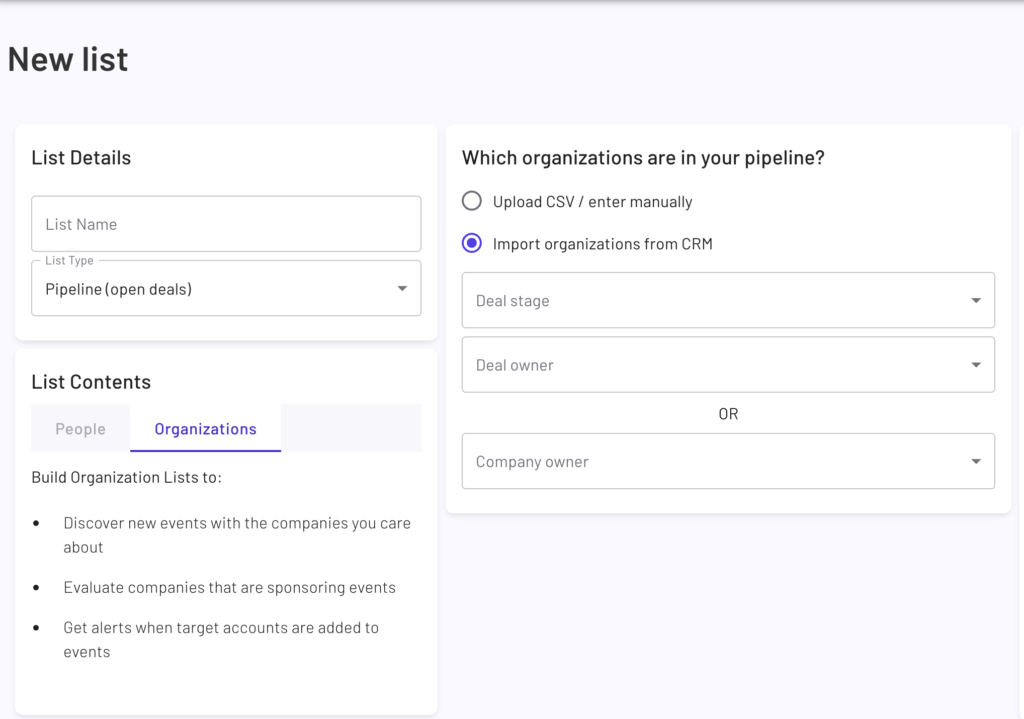
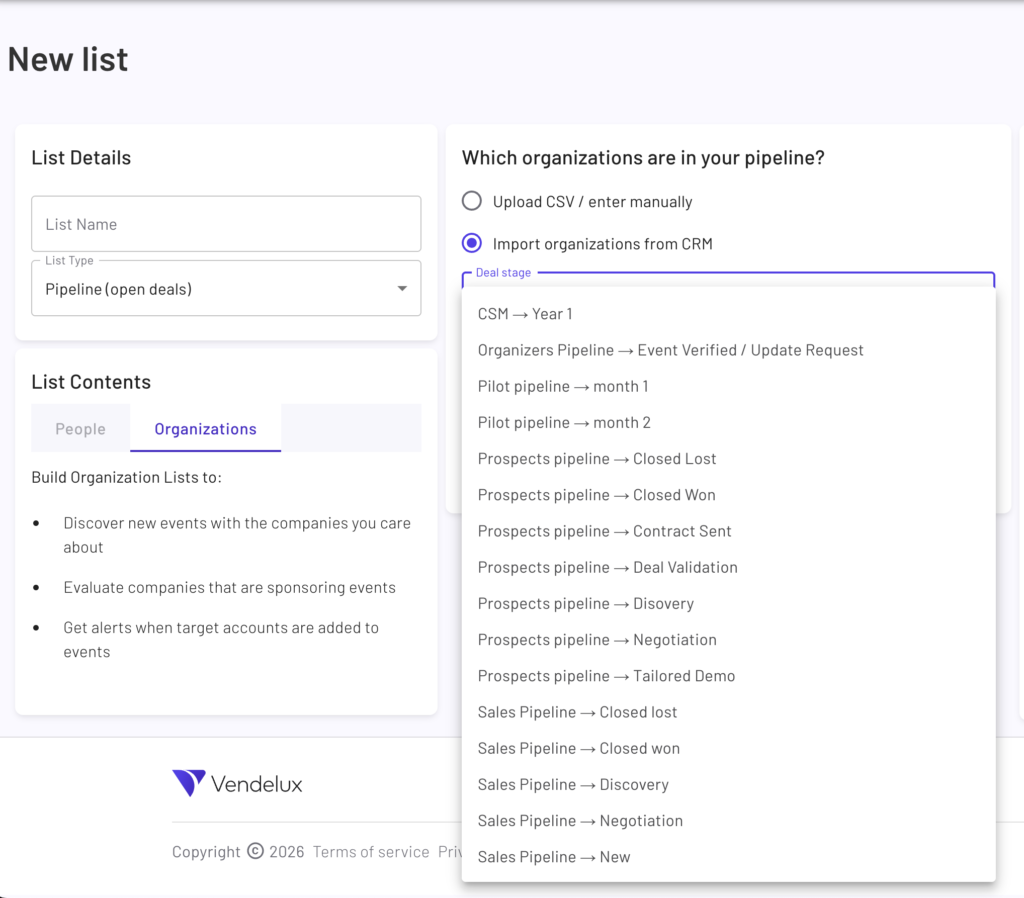
When creating a new Organization list, you can create a ‘smart’ list based on Deal Stage, Deal Owner, or Company Owner. The Deal Stages that you can select from directly from the same Deal/Pipeline stage names in your CRM. The Company owner filters, like the Contact owner filter when creating a People list, are derived from your CRM.
Creating a new Pipeline (open deals) list type with Organizations list contents with ‘Import organizations from CRM’ selected.
Creating a new Pipeline (open deals) list type with People list contents with ‘Import organizations from CRM selected’ and the ‘Deal Stage’ drop down menu is visible.
Viewing Event Attendees in Your Pipeline
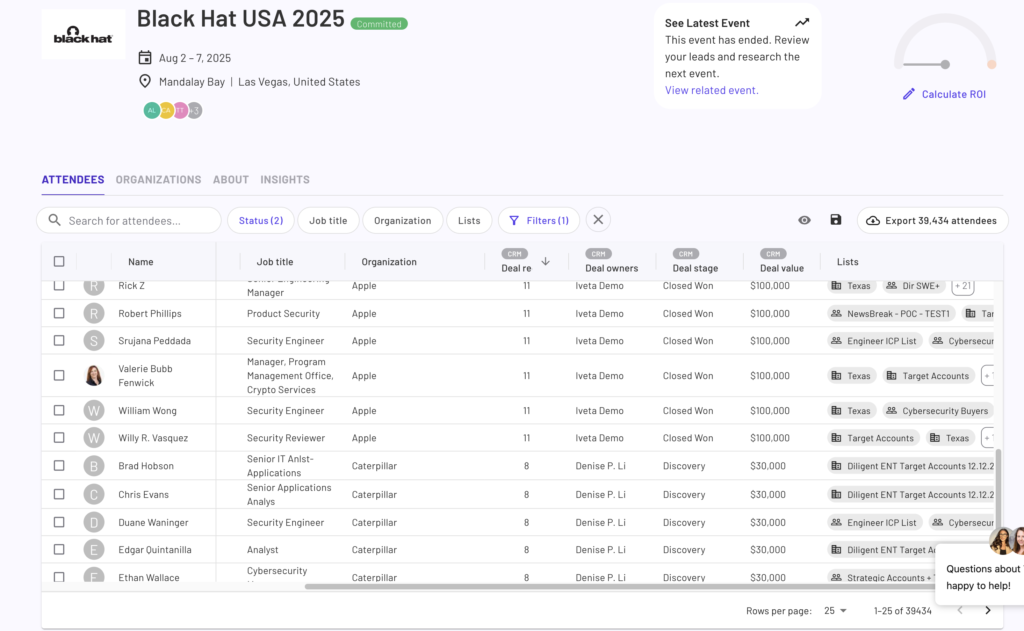
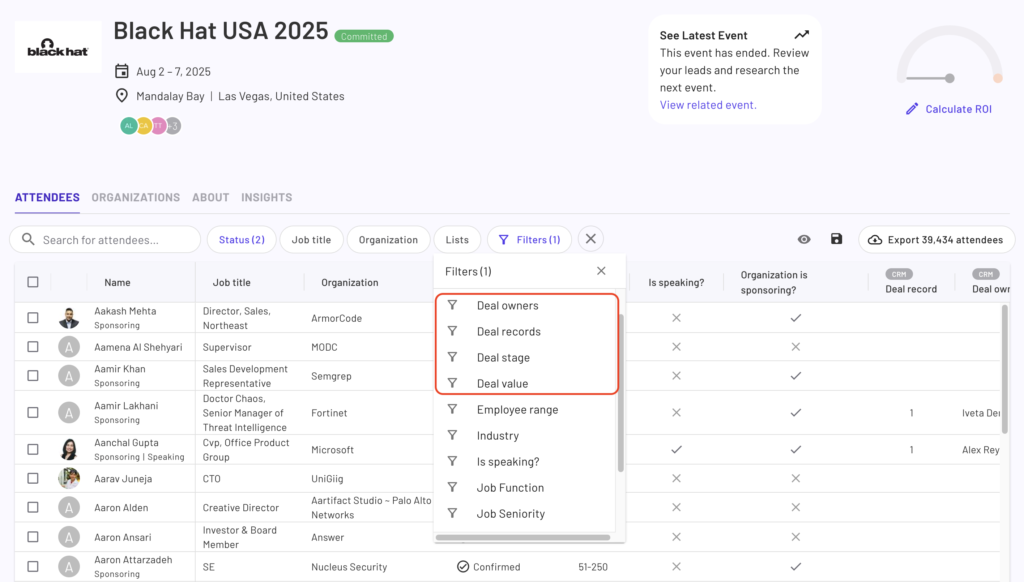
On the Event Details Page (EDP), you’ll be able to see attendees who work at companies that are in your deal pipeline. The EDP displays the most recent deal in your CRM for that company, so it’s easy to quantify the value of attending the event. You can filter for specific Deal owner(s), stage(s), records, and value. This allows you to quantify how much target pipeline is attending event and help you make more informed decisions leading up to the event.
For example, the Vendelux Demo has landed a deal with Apple and has a deal in the ‘Discovery’ stage with Caterpillar. All attendees who work at Apple and Caterpillar will be associated with the respective deal. You’ll see something similar on the Organization tab, just without the individual attendee information.
Events Detail Page that shows Attendees who work at a company that is in the user’s CRM deal pipeline.
EDP Attendee tab with Filters drop down menu contents shown, focusing on CRM Deal related filters.
Visualize the Value of Vendelux Meetings
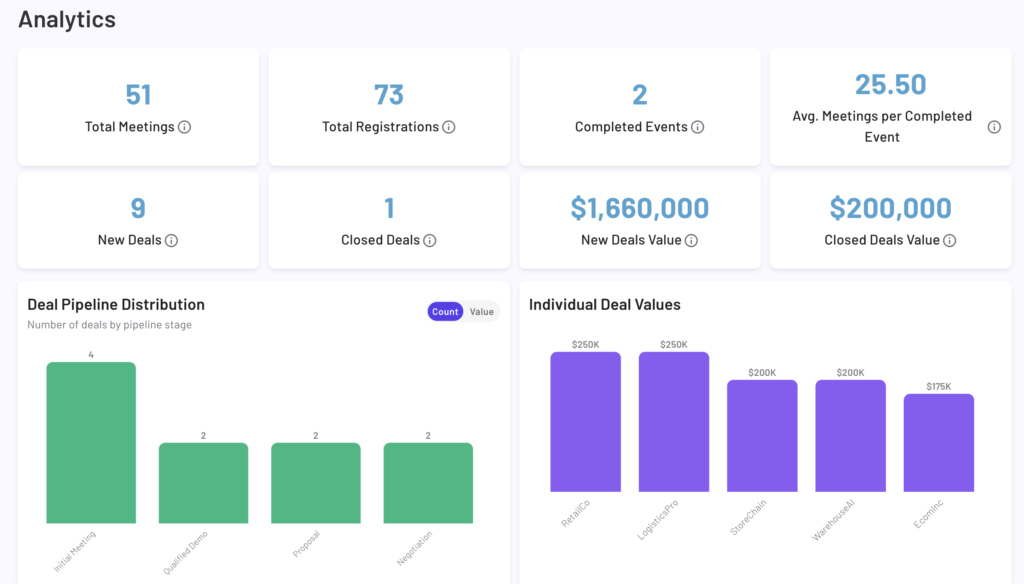
If you’re using Vendelux Meetings to set you up with face-to-face time with people at events, you’ll be able to visualize the value of this feature when you’ve integrated your CRM.
The Vendelux Meetings - Analytics page shows deal pipeline and deal values once the user has a completed a Vendelux Meeting campaign and has integrated their CRM with Vendelux.
Push Data from Vendelux to Your CRM
Vendelux supports pushing Attendees from the EDP or Meeting Leads from our platform to your CRM.
Push Attendee Data from the EDP to Your CRM
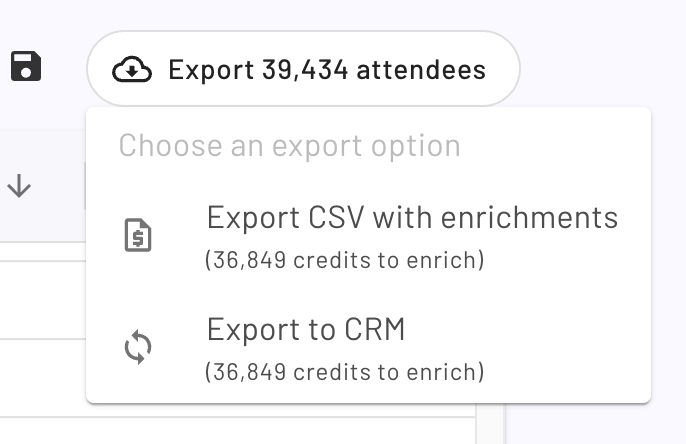
While on the EDP, team members who can export enriched attendee data to your CRM will be able to export attendees into a target Campaign (Salesforce)/Segment (HubSpot) of their choosing. Pushing attendees → CRM is a one-time execution and not a continuous sync.
On the EDP, the Export button was clicked and the drop down menu for the export options is visible.
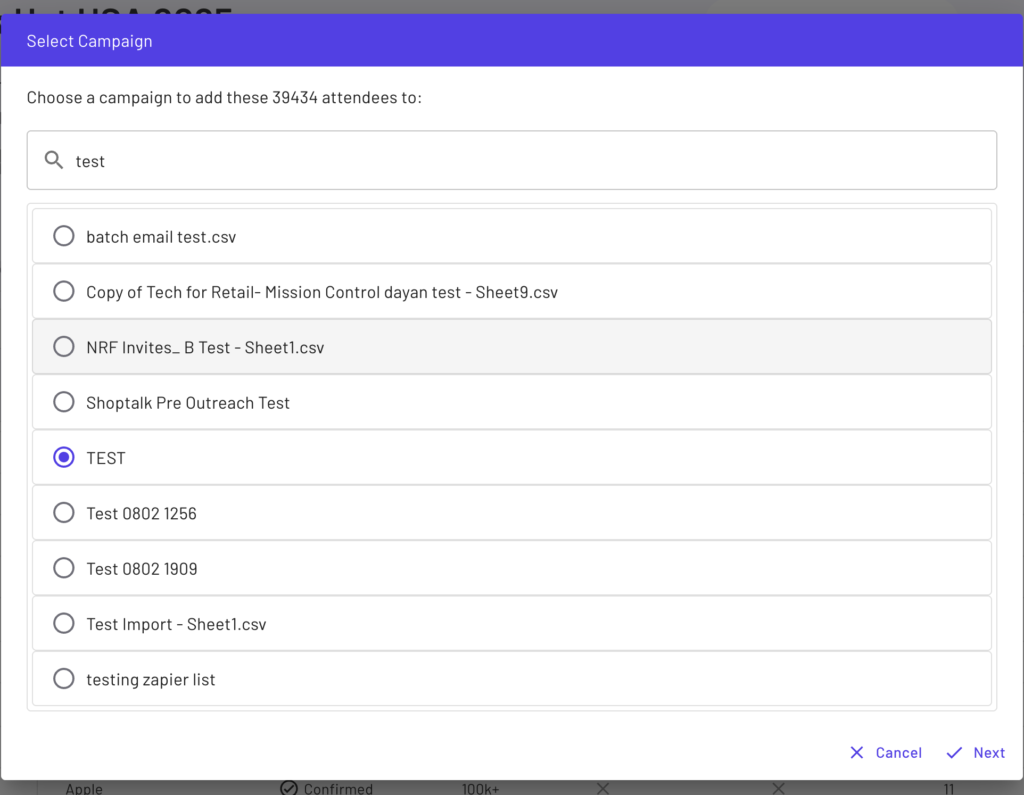
Once ‘Export to CRM’ is selected, the user can search for and select a CRM Campaign.
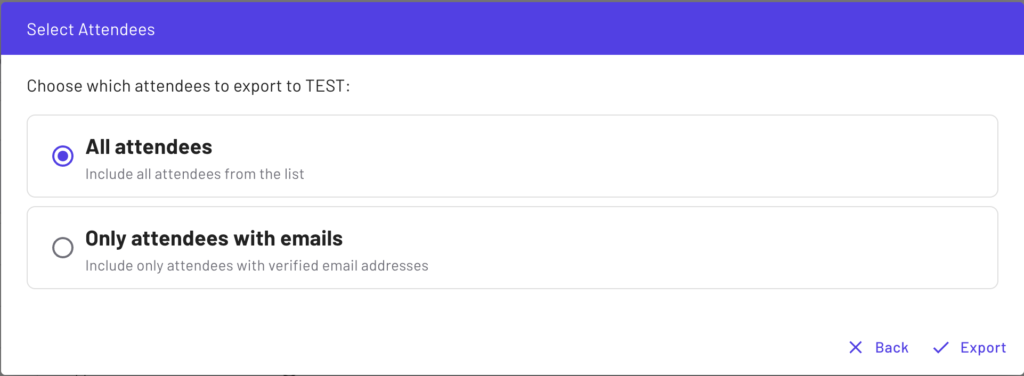
After the target CRM Campaign is selected, the user can select which attendees to export to their CRM.
Here’s a video that show’s how easy it is to export attendees from the EDP to your target Salesforce campaign. On the left is the EDP and on the right is the Salesforce demo sandbox.
Sync Meeting Leads from Vendelux to Your CRM
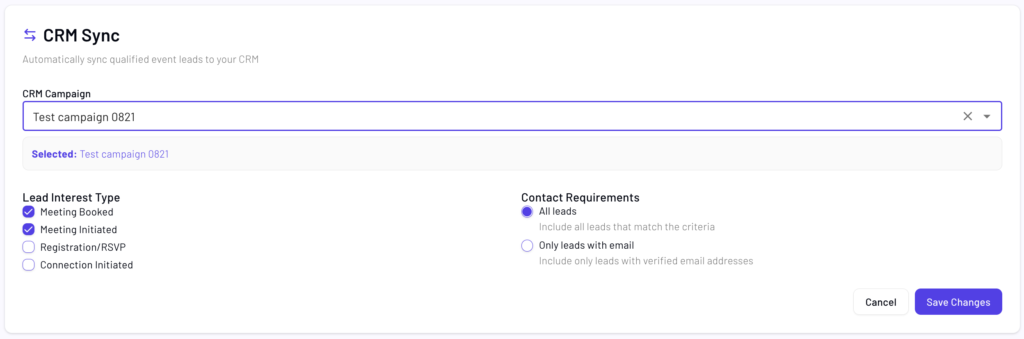
Users can automatically and continuously sync Vendelux Meeting Leads to their CRM. Users can only configure the CRM Sync settings for Meeting Campaigns that are active. Leads will automatically sync to the select CRM campaign as they qualify for the entire duration of the Meeting Campaign.
CRM Sync configuration with the ‘Test campaign 0821’ CRM Campaign selected. In this example, only leads with interest type of ‘Meeting Booked’ or ‘Meeting Initiated’ will be pushed to the user’s CRM.